HNTB Spline Tools
During my time at HNTB, I developed a suite of tools using the Unity spline system.
One major use case was to generate procedural geometry, allowing us to quickly add features and avoid the need to constantly update the design model.
This first came about when working on a 27-mile alignment that had a number of missing bridges from the design model, and I was tasked with creating a tool for filling in the gaps directly in Unity.
I found an existing open source mesh generation tool that would allow us to extrude a mesh along a path to generate a bridge, however the interface was a bit clunky.
I had previously created a tool for drawing traffic and pedestrian paths using Unity's spline system, so I decided to convert the plugin to use Unity splines to minimize the number of interfaces our team would have to use.
I also added the ability to use that same path to place bridge piers, allowing us to generate full bridge models just by drawing a spline.
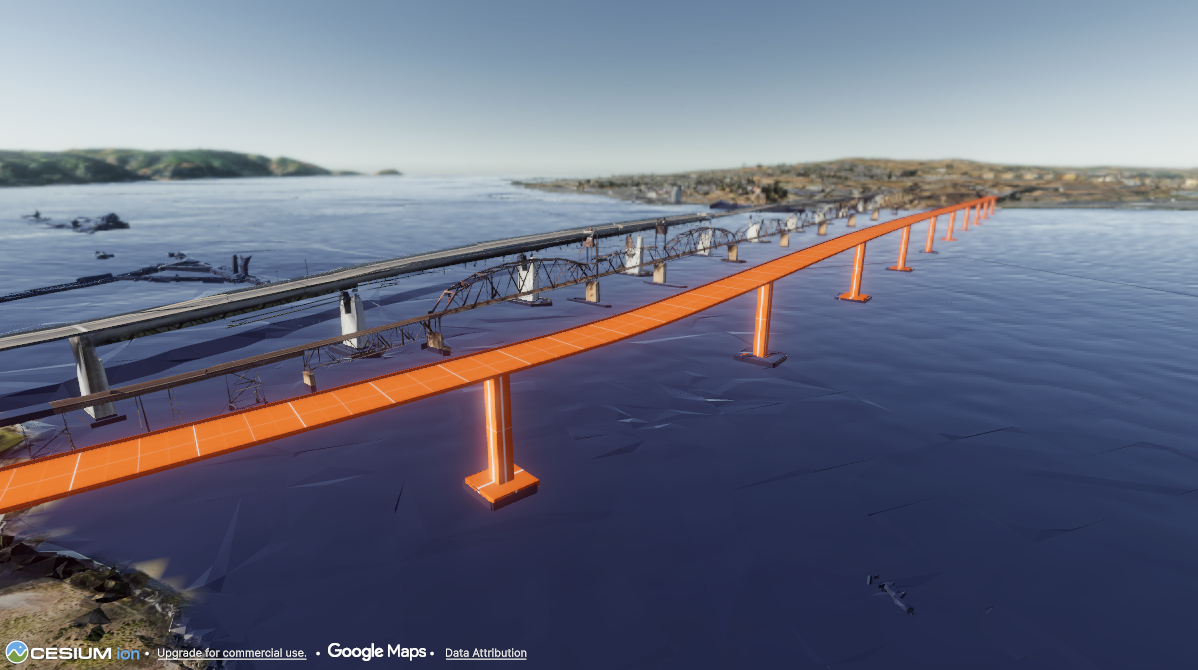
Meanwhile, another developer on the team had created scripts for generating filled meshes by drawing shapes, and another for scattering objects within an area. I refined these scripts and modified them to share a base class with the other spline scripts, then created a unified UI window to make them easier to use for our team members who were less familiar with Unity. This included the ability to generate GameObjects with the correct scripts, as well as add scripts to existing GameObjects, allowing us to both generate geometry and place objects using a single spline. Beyond the bridge example discussed earlier, another common use case was filling a polygon with terrain and placing trees to instantly create a forest by drawing a shape.
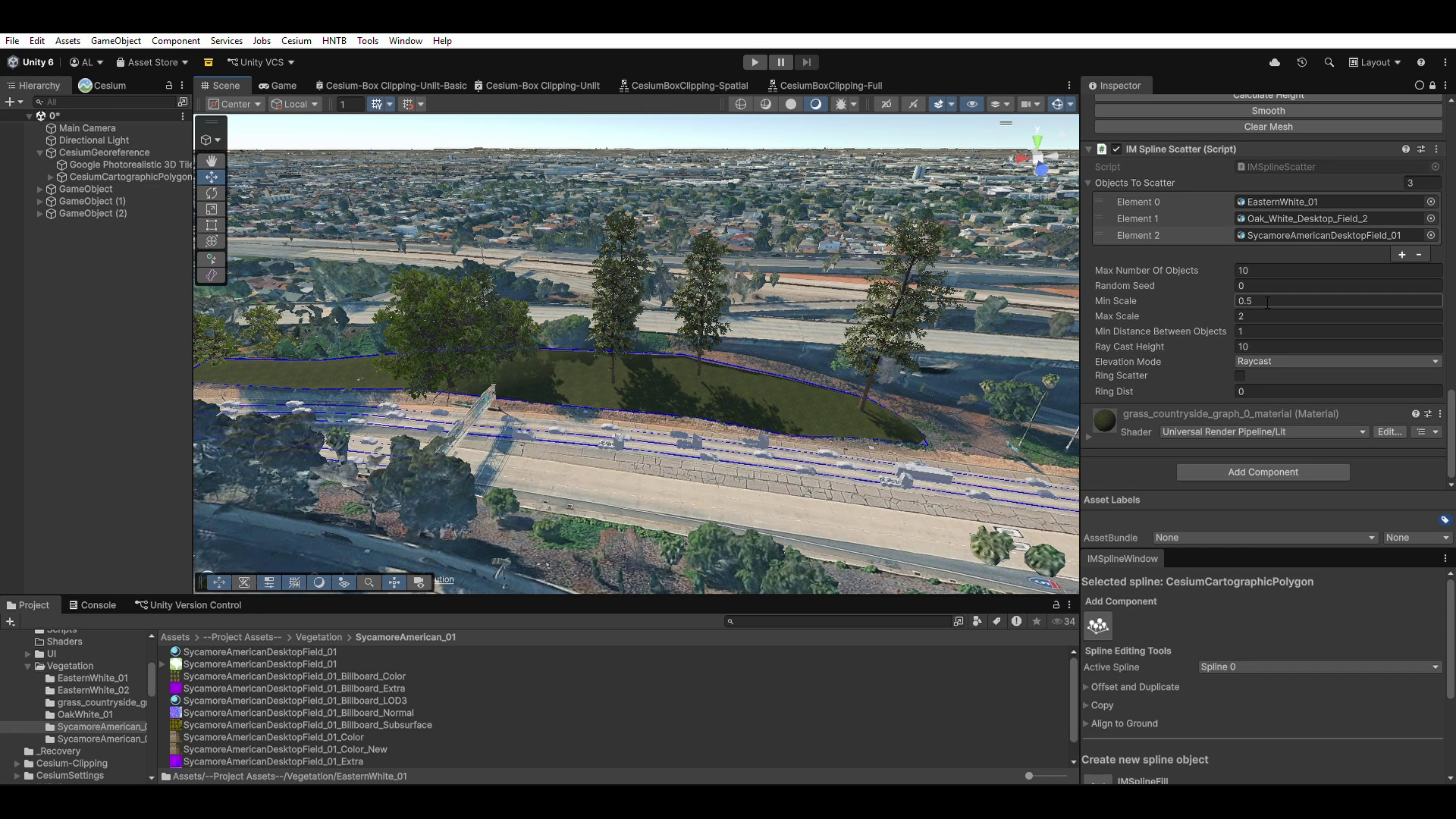
And, the more we used these spline tools, the more we discovered the need for additional Spline functionality beyond what Unity offered. This led us to add the ability to copy and paste spline knots, offset splines, and align splines with surfaces. I also created a tool that allowed us to select knots from multiple splines at once.
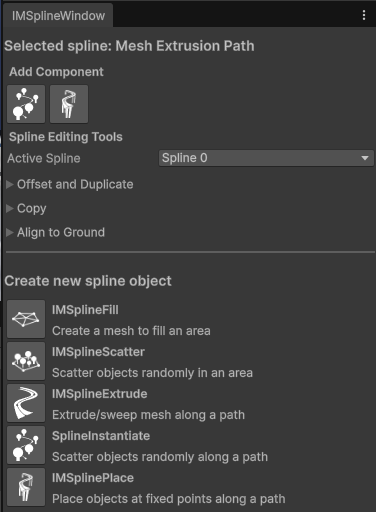
Not only was all this useful functionality that made it faster to rapidly build out environments without having to modify the original design models, but the fact that all our tools used the same spline interface made them easy for less technical team members to learn. It also meant that any new functionality added to one of these tools could easily be added to any of the others.
Meanwhile, another developer on the team had created scripts for generating filled meshes by drawing shapes, and another for scattering objects within an area. I refined these scripts and modified them to share a base class with the other spline scripts, then created a unified UI window to make them easier to use for our team members who were less familiar with Unity. This included the ability to generate GameObjects with the correct scripts, as well as add scripts to existing GameObjects, allowing us to both generate geometry and place objects using a single spline. Beyond the bridge example discussed earlier, another common use case was filling a polygon with terrain and placing trees to instantly create a forest by drawing a shape.
And, the more we used these spline tools, the more we discovered the need for additional Spline functionality beyond what Unity offered. This led us to add the ability to copy and paste spline knots, offset splines, and align splines with surfaces. I also created a tool that allowed us to select knots from multiple splines at once.
Not only was all this useful functionality that made it faster to rapidly build out environments without having to modify the original design models, but the fact that all our tools used the same spline interface made them easy for less technical team members to learn. It also meant that any new functionality added to one of these tools could easily be added to any of the others.