HNTB QA/QC Tool
In the Architecture, Engineering, and Construction (AEC) industry, QA/QC (Quality Assurance/Quality Control) is the process of ensuring that any deliverables match the original design.
Normally, this is done by marking up plan drawings or rendered images, but since our team was delivering interactive 3D environments, it was much more complex for stakeholders to communicate to our team where exactly in the environment an issue was.
When I joined the team at HNTB, the best solution had been to take a screenshot and mark it up the old fashioned way, but our environments could be upwards of 27 miles long, making it difficult to identify which exact intersection or building they were talking about.
In response, we developed a tool we called IMQC. The initial goal was to add a window to our deliverables that would allow users to create markers, and drag and drop them to a specific location in the environment.
The window also had the ability to click on a comment and jump to its position in the scene, allowing us to know exactly where a user was talking about when reviewing comments.
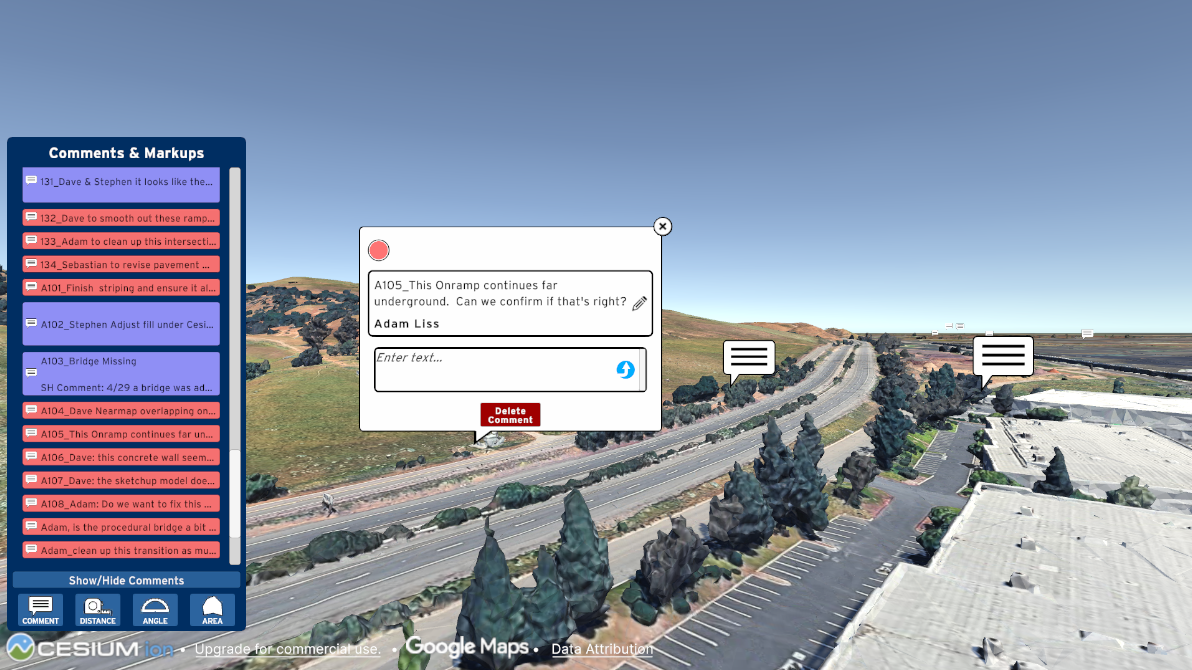
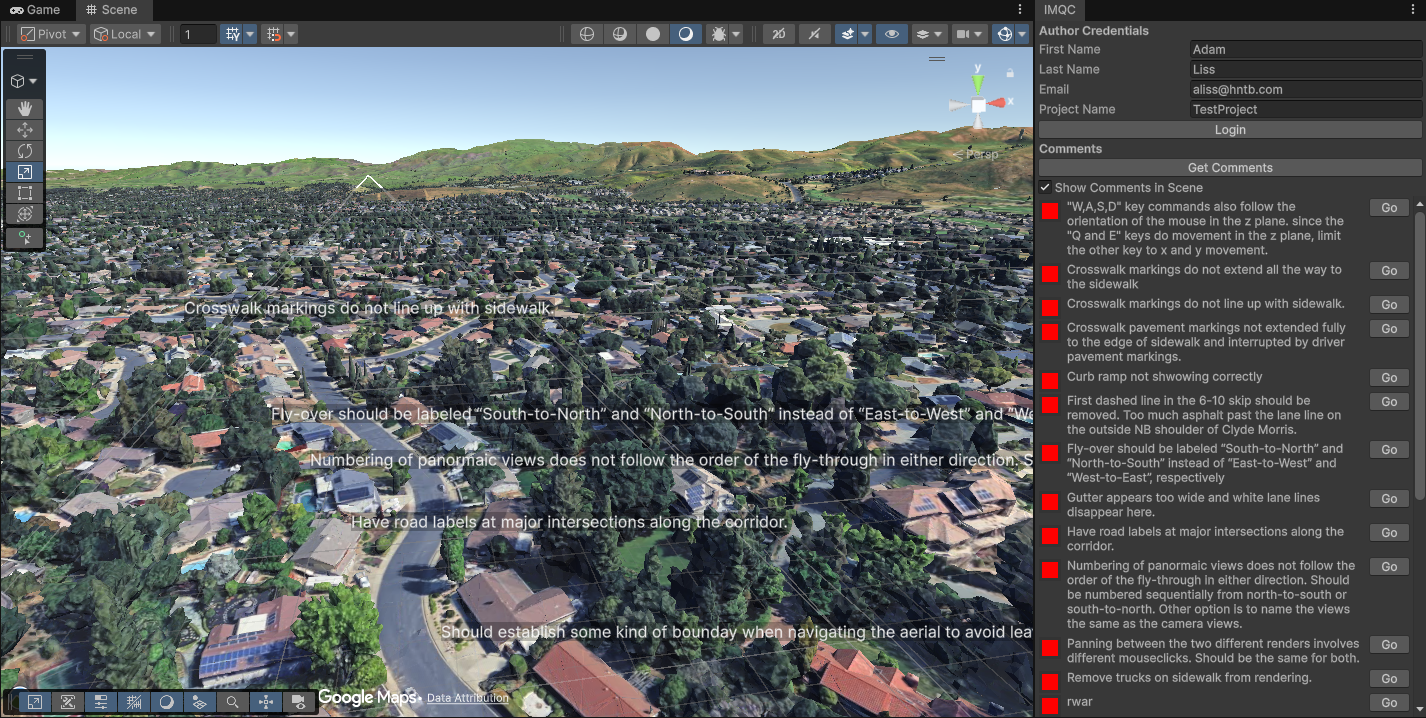
I, along with another Unity developer on our team and a web developer from another department built the initial system, storing the comment, location, author, and comment status (Complete, Under Review, etc.) on an AWS back-end. It was also set up to use the same back-end as HNTB's public involvement application, PIMA, so our QA/QC system could also be used to record feedback from public meetings and events. As it evolved, we added additional measurement tools to allow planners and engineers to confirm distances in realtime. We also added the ability to respond to comments, which made our tool in compliance with the company-wide QA/QC process, which requires multiple people to review and confirm any comments. Originally, we needed to run the app ourselves in order to view comments, but after it became clear this tool would continue to be used I developed a custom Unity Editor window, so our team could review comments directly in the editor.
In releasing this and testing it with client teams within the company, one of the most common pieces of feedback was they liked the comment system, but they had difficulty navigating the environment. In response, I added a camera switching system, allowing people to either navigate the scene in free-flying 3D (our original system), a Google Maps-style drag and rotate system, and a ground-level first person controller.
As a result, IMQC was included with every project we delivered, significantly speeding up and simplifying the review process.
I, along with another Unity developer on our team and a web developer from another department built the initial system, storing the comment, location, author, and comment status (Complete, Under Review, etc.) on an AWS back-end. It was also set up to use the same back-end as HNTB's public involvement application, PIMA, so our QA/QC system could also be used to record feedback from public meetings and events. As it evolved, we added additional measurement tools to allow planners and engineers to confirm distances in realtime. We also added the ability to respond to comments, which made our tool in compliance with the company-wide QA/QC process, which requires multiple people to review and confirm any comments. Originally, we needed to run the app ourselves in order to view comments, but after it became clear this tool would continue to be used I developed a custom Unity Editor window, so our team could review comments directly in the editor.
In releasing this and testing it with client teams within the company, one of the most common pieces of feedback was they liked the comment system, but they had difficulty navigating the environment. In response, I added a camera switching system, allowing people to either navigate the scene in free-flying 3D (our original system), a Google Maps-style drag and rotate system, and a ground-level first person controller.
As a result, IMQC was included with every project we delivered, significantly speeding up and simplifying the review process.